Tasks · Routines · Google Calendar
Your day, calmly in order.
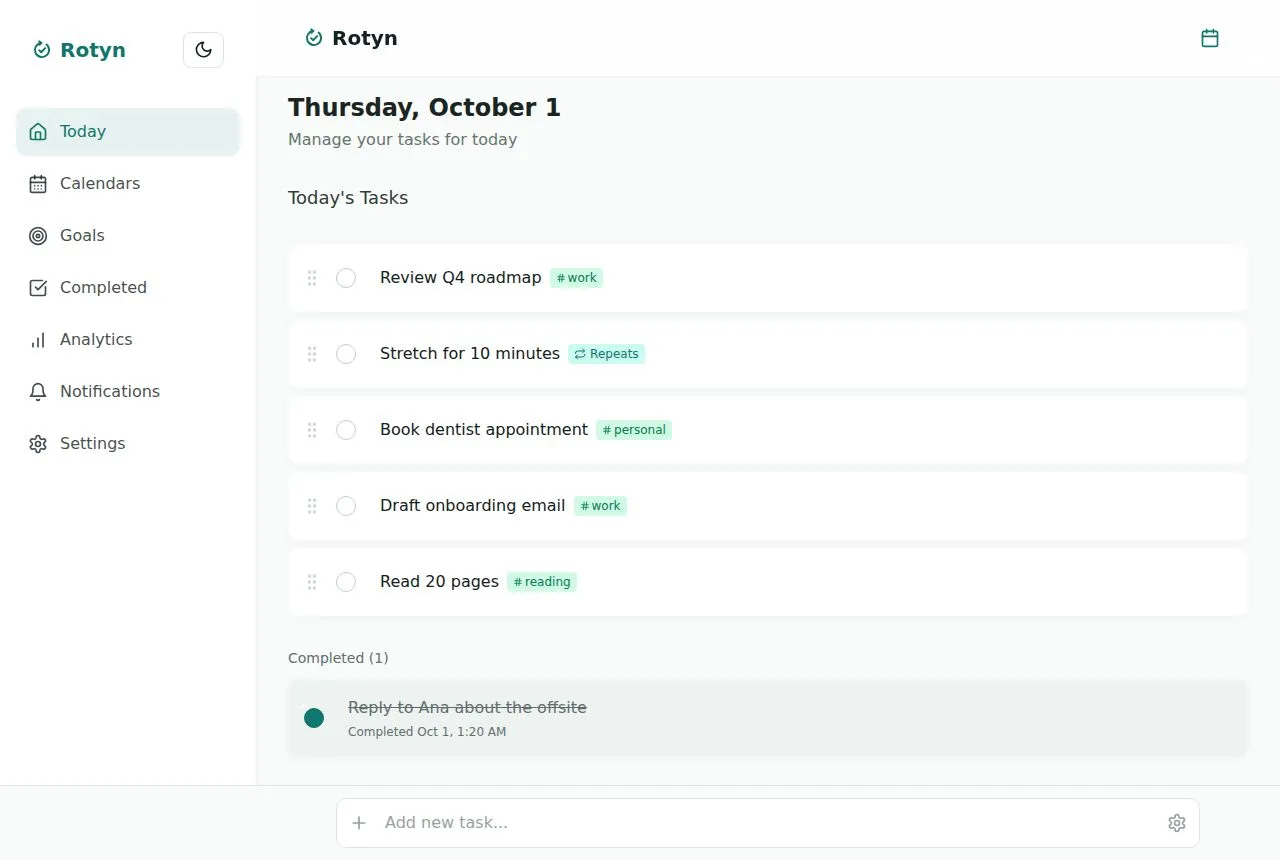
Rotyn puts your meetings, your to-dos and the routines you repeat every week on one screen, so you always know what comes next.
No card needed for the trial.

Plan once. Let the week run.
- 1
Bring in your calendar
Connect one or more Google Calendars. Rotyn only reads them, so your meetings show up next to your tasks.
- 2
Pick what matters today
Each morning, choose the few things you want to get done. Anything left from yesterday is one tap away.
- 3
Let routines repeat
Daily, weekly or monthly tasks come back by themselves, so your week runs without re-planning it.
Unified calendar
Every calendar and every task, in one view.
Your work and personal Google accounts side by side, with your tasks on the days they are due. See what is already booked before you promise more, without jumping between apps.
- Connect several Google accounts and pick which calendars to show
- Month, week and day views, each calendar in its own color
- Tasks with a date sit right next to your meetings
- Read-only: Rotyn never creates, moves or deletes your events
Routines
Set it once. It comes back on its own.
The things you do every day, every week or every month don’t need to be typed again. Rotyn brings each one back on the right day, and what you didn’t finish is one tap away from today.
- Daily, weekly on the days you pick, monthly or yearly, every N times
- Stop on a date or after a number of times
- Unfinished tasks wait for you to move, finish or drop them
Reminders
A nudge before meetings. A plan every morning.
Rotyn tells you before each meeting and sends a short summary of your day at the hour you choose, on your phone and on your computer.
- 5, 10, 15 or 30 minutes before each event
- A morning summary of today’s tasks, at the hour you choose
- Works with the app closed on Android, desktop and iPhone (from the Home Screen)
Everything your day needs, nothing it doesn’t
Tasks and meetings together
Your Google Calendar events sit next to your to-dos, so you plan the day around what is already booked.
Routines that run themselves
Daily, weekly or on the 31st: Rotyn keeps the next dates coming and never repeats old ones.
Goals you can measure
Set a target, log progress and see if you are on pace. Link tasks to the goal they move forward.
Reminders on every device
Get a heads-up before meetings and a morning summary of your day, even with the app closed.
Installs like an app
Works on your phone and computer, offline too, and opens from your home screen like any other app.
Your data stays yours
Read-only calendar access, no ads, export everything any time and delete your account in one step.
One plan. Everything included.
Try every feature for 14 days, no card needed. Then pick monthly or yearly.
Rotyn Pro
$39/year
$3.25 a month, billed yearly
- Tasks, tags and recurring routines
- All your Google Calendars in one view
- Reminders on every device, even with the app closed
- A morning summary of your day
- Goals with progress tracking
- Works offline and syncs everywhere
No card for the trial. 14-day money-back guarantee.
Prices in US dollars. Prices are adjusted to each country’s cost of living; the final price and any taxes are shown at checkout.
Questions
How much does Rotyn cost?
$39 a year or $4.99 a month in the US, with lower prices in many countries. Every account starts with a 14-day free trial.
Is there a free plan?
No. Rotyn is one plan with everything included and a free trial. There are no ads and your data is never sold: the subscription is what keeps Rotyn running.
Can I cancel at any time?
Yes, from Settings. You keep access until the end of the period you paid for, and nothing you created is deleted. If Rotyn is not for you, ask for a refund within 14 days of a payment.
What does Rotyn do with my Google Calendar?
It only reads it, to show your events next to your tasks and to remind you before meetings. Rotyn never creates, changes or deletes events, and you can disconnect at any time.
Does it work offline?
Yes. Your tasks, goals and progress are kept on your device. Changes you make offline sync as soon as you are back online.
Which devices can I use?
Any modern browser on your computer or phone. You can install Rotyn from the browser to open it like an app, and get reminders even when it is closed (on iPhone, add it to the Home Screen first).
Can I take my data with me or delete it?
Yes. Settings lets you export everything as a file, and delete your account and all its data in one step.